December 11, 2025
Beginner-friendly guide on how to use triggers in Geometry Dash. Learn core functions, simple steps, mistakes to avoid, and building tips on Yoplay.io.
The first time a player opens the Geometry Dash editor, everything looks harmless—rows of blocks, icons, tiny symbols. Then the triggers show up, and the screen suddenly feels like a control room. For many beginners, that’s the moment the editor turns from playful to intimidating.
But triggers aren’t as mysterious as they look. They behave more like small instructions executed at the right moment. A colour shift, a slide of the ground, a flash tied to the beat—each of these moves comes from a trigger. Based on hours of testing across various Geometry Dash versions, I found a clear pattern. Early progress relies on mastering just a few core triggers, not trying to learn the entire toolbox at once.
Triggers are invisible prompts that guide what happens behind the scenes. Instead of shaping platforms, they influence how those platforms behave. Think of a level as a stage. The layout is the set, but triggers handle the spotlights, camera slides, and timed entrances.
Whether a player builds in the official editor or tests ideas on Geometry Dash online versions, triggers stay consistent. They direct the level when something should occur and how it should feel. A tiny command, placed at the right frame, can change the tone of an entire segment.
Many new builders assume triggers are “advanced tools,” but they’re more like adjustable switches. Once a few are mastered, the rest become approachable.
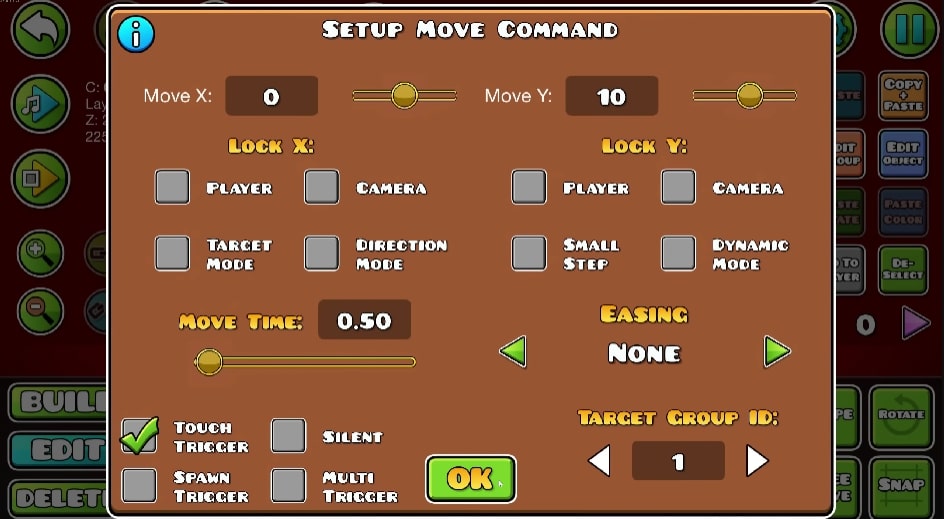
Menu setup command in Geometry Dash game
The editor offers dozens, but three of them shape almost every beginner-level project.
This trigger translates objects across the screen. It handles distance, speed, direction, and easing. A short move can create a smooth slide, while a long one can feel like the whole world is drifting.
Players who attempt long motions prematurely frequently struggle to maintain the correct rhythm and timing. The most effective strategy is to handle movement like a precise controller for pacing. This requires employing subtle, brief adjustments to maintain the tempo, and avoiding large, sudden shifts that break player focus. Furthermore, using Easing is crucial. It serves to smooth out the transition, mirroring how a physical object gently decelerates to a stop.
Colour Trigger paints the level’s mood. A level can turn cold, warm, bright, or muted depending on how this trigger is placed. Background shifts become especially striking when matched to a key change or drum hit.
Beginner creators tend to switch colours too abruptly, which breaks immersion. Adding a short fade creates a smoother transition, making the stage feel alive rather than stitched together. Some Geometry Dash online maps on Yoplay use colour shifts as their main storytelling tool.
Spawn Trigger decides when objects come into play. It can reveal decorations, switch patterns, or activate multiple other triggers in sequence.
Its challenge lies in group IDs. If IDs aren’t organised, objects appear at the wrong time or not at all. Building in small chunks—testing each before layering another—keeps the system manageable. It’s closer to arranging dominoes than coding; order determines everything.
A steady routine helps avoid confusion:
Refine and optimise: Adjust the trigger's properties (or movement) until the pacing is smooth, and the effect is perfect.
The Ultimate Beginner Trigger Guide - Geometry Dash
Beginners often stumble in the same areas:
Geometry Dash levels have their own rhythm. A trigger out of place feels like a drum hit that arrives half a second late.
Adopting these habits will result in smoother and more appealing designs:
Triggers are functional tools, not just decorations. They act as essential cues to guide the player and control the level's pacing. When used intentionally, triggers transform basic layouts into challenging and unified rhythm experiences.
Movement and colour tools. Spawn comes next once timing becomes easier to control.
Not required, but they give levels motion, personality, and rhythm.
Most unblocked editors mirror the same logic, making them useful practice environments.
Geometry Dash
December 11, 2025
Lagging in Geometry Dash? Find out the real reasons behind the stuttering—from your device's limits to network issues—and apply simple, player-tested fixes ...

Geometry Dash
December 16, 2025
Dorami Geometry Dash profile exploring the mind behind The Yandere, Extreme Demon verification pressure, and why Dorami shaped modern difficulty culture.
Geometry Dash
December 12, 2025
Beyond the Extreme Demon: Unpacking the Legacy of ChaSe, the Geometry Dash Creator whose Obsession with Pure Execution Defined the Iconic Level Sidestep.
Geometry Dash
November 28, 2025
A beginner-friendly guide showing how to make Geometry Dash on Scratch step by step. Simple blocks, clear logic, and smart tips. Published with Yoplay.io.

Geometry Dash
December 04, 2025
A complete guide to every key in Geometry Dash, how to collect them fast across all versions, and the simplest ways players unlock hidden areas and rewards.
Geometry Dash
November 28, 2025
Geometry Dash Deadlocked dives into extreme rhythm-platform challenges with fast reflex tests, smart patterns, and fresh level ideas, now playable free ...

Geometry Dash
December 08, 2025
Playing Geometry Dash safely on a Chromebook at school is no longer difficult after you read this article. Learn 100% working methods, limited options ...
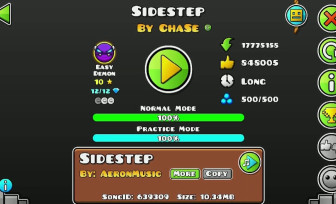
Geometry Dash
December 12, 2025
A deep gameplay-focused guide to beating Sidestep by ChaSe in Geometry Dash, exploring difficulty, practice strategy, and extreme demon skill demands.
Geometry Dash
December 04, 2025
Dive into how many people play Geometry Dash and explore its player growth, downloads, and enduring popularity — plus a look at its creator, Robert Topala ...
Geometry Dash
December 11, 2025
A practical Geometry Dash training guide that helps gamers master Ship, Wave, Ball, UFO, and more, with control tips and skill drills recommended by Yoplay.io.
Geometry Dash
November 27, 2025
Explore the Geometry Dash levels every player should know, from foundational official stages to legendary community Geometry Dashes. Master the rhythm-tap ...

Geometry Dash
December 17, 2025
A data-driven comparison of Yangire vs Yandere in Geometry Dash, examining release context, early clears, player stats, and how each level tests execution.

Geometry Dash
December 11, 2025
Beginner-friendly Geometry Dash guide covering basics, early strategies, easy levels, and practice tips for new players, written for Yoplay.io readers.

Geometry Dash
December 01, 2025
An insightful look at Robert Topala, the indie developer behind Geometry Dash, tracing his creative path, design mindset, and long-lasting influence. Mention...

Geometry Dash
December 08, 2025
Geometry Dash tests focus, memory, and reflex timing through rhythm-based obstacles. Discover how this fast platformer can boost brain skills and how to ...

Geometry Dash
December 16, 2025
The Yandere is a Geometry Dash Extreme Demon that emphasises endurance, consistency, and mental control, pushing players far beyond raw reflexes or speed.
Geometry Dash
December 04, 2025
A complete guide on how to get diamonds in Geometry Dash 2.2, covering every earning method, fast farming tricks, and insights for players on Yoplay.io.
Geometry Dash
December 15, 2025
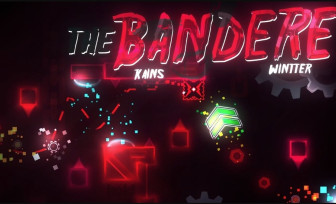
The Banderelevel in Geometry Dash is an Insane Demon by Ka1ns & Wintte. This level focused on strict timing, fast pacing, and a demanding skill-based gameplay..
Geometry Dash
December 09, 2025
A deep portrait of TriAxis, the talented yet tragic female creator whose Geometry Dash levels reshaped the rhythm platformer scene before her sudden ...
Geometry Dash
December 08, 2025
Unlock Geometry Dash safely at school using proven access methods, browser platforms, and practical tricks. Learn which approaches truly work and which don’t.